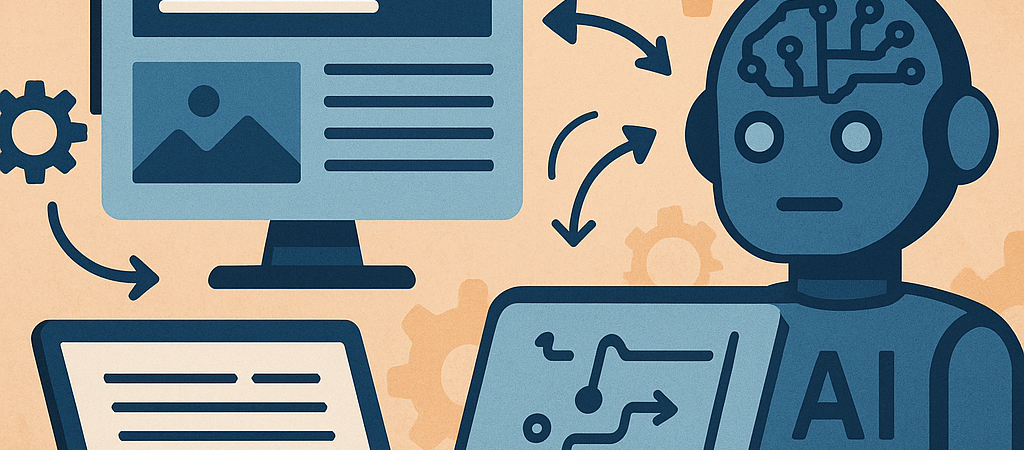
Why Automated Internal Linking Matters for WordPress Blogs
Internal linking plays a pivotal role in SEO by distributing page authority, improving crawlability, and enhancing user navigation. However, manually managing internal links becomes cumbersome as your blog grows. Harnessing AI to automate internal linking can streamline this process, ensuring your WordPress site remains optimized without excessive manual effort.
How AI Transforms Internal Linking Workflows
Traditional internal linking requires identifying relevant anchor texts, matching them to target URLs, and ensuring contextual relevance. AI-powered tools analyze your entire content database, detect semantic relationships, and suggest or implement links that align with SEO best practices automatically.
Semantic Analysis and Link Suggestions
Modern AI models use natural language processing (NLP) to understand your content topics deeply. This enables the system to:
- Identify key phrases suitable as anchor text.
- Match them to relevant posts or pages within your blog.
- Prioritize links based on relevance and SEO value.
Automated Link Placement Strategies
Beyond suggestions, some AI tools can place internal links directly within your WordPress posts by:
- Integrating with your content editor (Gutenberg or Classic Editor).
- Using predefined rules like limiting the number of links per article.
- Ensuring natural anchor text distribution to avoid spammy patterns.
Step-by-Step Guide to Implement AI-Powered Internal Linking on WordPress
Step 1: Audit Your Existing Content
Use tools like Screaming Frog or Ahrefs to extract your current internal link structure. Identify orphaned pages, pages with few inbound links, and opportunities for new links.
Step 2: Choose the Right AI Linking Tool
Some notable solutions that integrate well with WordPress include:
- Link Whisper: Uses AI to suggest internal links during content creation.
- Contextual Related Posts: Automatically links related posts based on content analysis.
- Custom NLP Scripts: For advanced users, building custom AI pipelines using OpenAI or spaCy APIs.
Step 3: Configure Link Parameters
Set parameters such as maximum links per post, preferred anchor text length, and link priority rules to maintain natural user experience and SEO compliance.
Step 4: Integrate AI Linking into Your Content Workflow
Ensure your team or content automation pipeline incorporates AI-driven link suggestions or insertion as a standard step before publishing. This can be through WordPress plugin integration or API-based automation.
Step 5: Monitor Link Effectiveness and Adjust
Regularly assess how automated internal links impact metrics like bounce rates, pageviews per session, and organic rankings. Use Google Analytics and Search Console data to refine your linking strategy.
SEO Best Practices for AI-Driven Internal Linking
- Prioritize User Experience: Links should be contextually relevant and add value, avoiding over-optimization.
- Diversify Anchor Text: Use a mix of exact match, partial match, and branded anchors to maintain naturalness.
- Link to High-Value Pages: Promote cornerstone content and monetized pages to boost conversions.
- Limit Link Quantity: Keep internal links per article reasonable (usually 3-10) to avoid link dilution.
- Regularly Update Links: AI tools can periodically refresh links to reflect new content and SEO trends.
Common Pitfalls When Automating Internal Links and How to Avoid Them
- Overlinking: Too many automated links can appear spammy; set caps and review AI suggestions.
- Irrelevant Links: Ensure AI models are trained or configured to prioritize semantic relevance.
- Ignoring User Experience: Automated links should enhance navigation, not distract readers.
- Neglecting Manual Review: Regular audits catch errors and improve AI model accuracy.
Example Workflow: Automating Internal Linking with Link Whisper
- Install and activate Link Whisper on your WordPress site.
- Go to the Link Whisper dashboard to scan your existing posts.
- Review AI-generated link suggestions for each post, accepting or modifying anchors as needed.
- Set automated linking rules for new posts to insert internal links upon publishing.
- Use reporting features to track link growth and identify orphaned content.
Conclusion
Automating internal linking with AI is a powerful strategy to scale your WordPress blog’s SEO while reducing manual workload. By carefully selecting tools, configuring parameters, and monitoring performance, you can create a dynamic linking structure that supports both search engines and readers effectively.
Actionable Checklist for AI-Powered Internal Linking Automation
- Conduct a thorough internal link audit of your existing content.
- Select an AI-based internal linking tool compatible with WordPress.
- Configure linking rules to balance SEO benefits with user experience.
- Integrate automated linking into your content production workflow.
- Regularly monitor link performance and refine AI settings.
- Schedule periodic manual reviews to prevent irrelevant or excessive links.